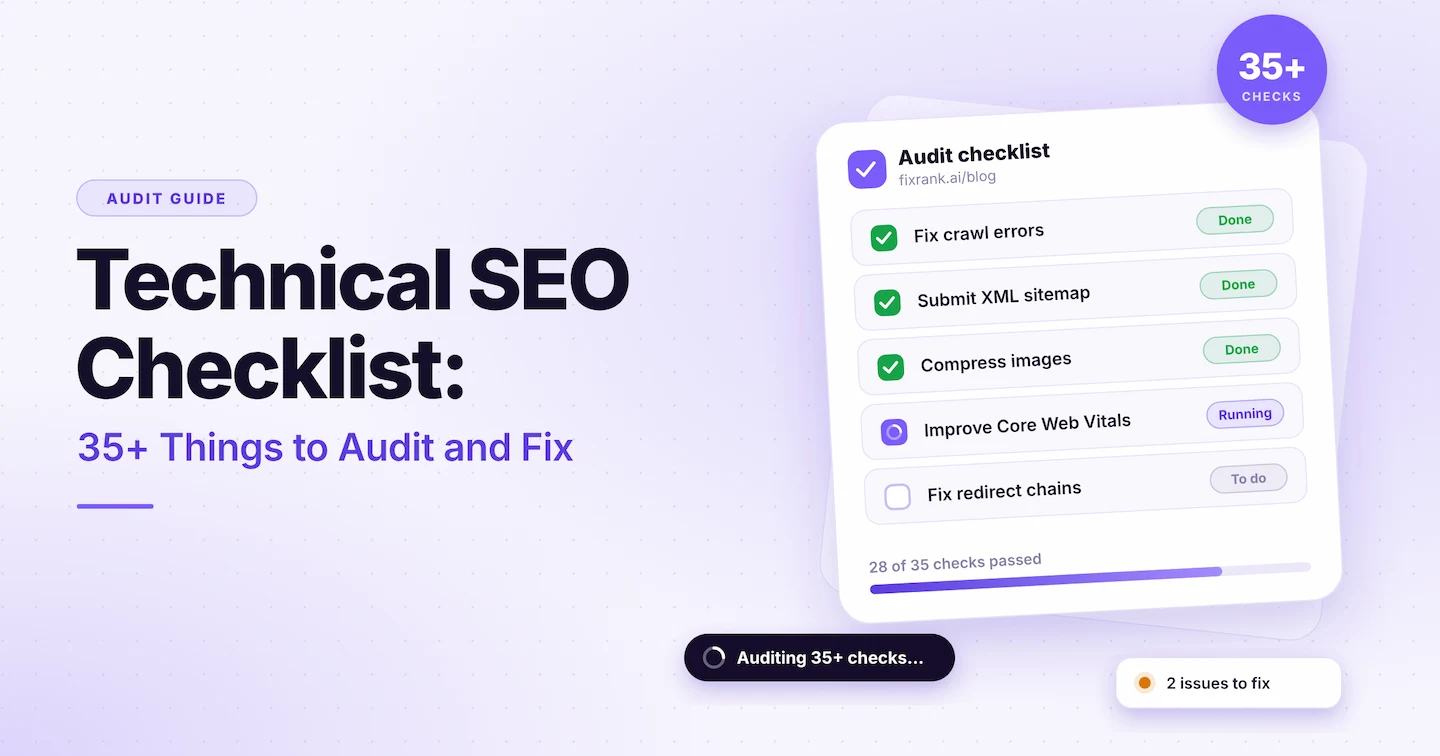
Use this technical SEO checklist to audit crawlability, indexing, redirects, canonicals, site speed, structured data, and more.
A search engine cannot rank a page it cannot properly access, understand, or index. That makes technical SEO the foundation of your website’s search visibility.
Problems with crawling, indexing, redirects, canonical URLs, JavaScript rendering, site speed, or structured data can prevent search engines from processing your pages correctly. A website can look normal to visitors while search engines encounter broken links, blocked resources, duplicate URLs, incorrect canonicals, or indexing problems.
Technical SEO Checklist at a Glance
| Area | What to check |
|---|---|
| Crawlability | Important pages, crawl errors, internal links, and required resources |
| Robots.txt | Disallow rules, blocked resources, file access, and sitemap references |
| HTTP status codes | 4xx, 5xx, 200 OK pages, soft 404s, and unexpected responses |
| Redirects | 301/302 behavior, chains, loops, destinations, and unnecessary hops |
| Indexability | noindex, robots meta tags, X-Robots-Tag, and unintended exclusions |
| Index coverage | Indexed, excluded, error, and crawled-but-not-indexed URLs |
| Canonicalization | Missing, conflicting, incorrect, or non-indexable canonical targets |
| XML sitemap | Accessibility, canonical URLs, indexability, and submission status |
| URL structure | Readability, parameters, casing, trailing slashes, and URL depth |
| Duplicate content | Duplicate and near-duplicate pages and competing URL versions |
| Site architecture | Hierarchy, click depth, important pages, and disconnected sections |
| Internal linking | Broken links, redirects, depth, and links to preferred URLs |
| Rendering | Rendered content, crawlable links, and important SEO elements |
| Mobile SEO | Responsive design, content parity, viewport, and mobile usability |
| Performance | Server response, large resources, caching, compression, and scripts |
| Core Web Vitals | LCP, INP, and CLS |
| Security | HTTPS, certificates, mixed content, and HTTP redirects |
| Structured data | Relevant schema, validity, required properties, and visible content consistency |
| Monitoring | Search Console, crawl errors, sitemaps, security, and performance |
Technical SEO Audit Checklist
Work from foundational accessibility to advanced issues. Start with access and crawling, then move through indexing, architecture, rendering, performance, and monitoring.
1. Crawlability
- Confirm important pages are accessible to crawlers.
- Resolve crawl errors and make important pages discoverable through internal links.
- Allow CSS, JavaScript, images, and other resources needed for rendering.
- Control unnecessary parameter URLs, session IDs, feeds, and duplicate patterns.
- Make sure important content and links do not depend on inaccessible scripts.
Verify: Run a full crawl, review inaccessible URLs and resources, inspect important URLs individually, and use Google Search Console URL Inspection.
2. Robots.txt
- Confirm robots.txt is accessible.
- Review Disallow rules for accidental page or resource blocks.
- Reference the correct XML sitemap.
- Check User-agent rules for the intended crawlers.
- Do not rely on robots.txt alone to control indexation.
Robots.txt controls crawling, not guaranteed indexation. A blocked URL can still appear in search if it is discovered elsewhere.
3. HTTP Status Codes
- Important indexable pages should return 200 OK.
- Non-existent URLs should return 404 or 410 instead of 200.
- Resolve 5xx errors, broken internal links, and soft 404s.
- Check CSS, JavaScript, images, fonts, and other critical resources.
- Confirm HTTP requests receive the intended HTTPS response.
4. Redirects
- Use 301 or 308 for permanent moves and 302 or 307 only for temporary changes.
- Remove redirect chains and loops.
- Point redirects directly to the final relevant URL.
- Update internal links to final URLs.
- Maintain correct HTTP-to-HTTPS and migration redirects.
5. Indexability
- Confirm important pages are not unintentionally noindex.
- Review robots meta tags and X-Robots-Tag headers.
- Check for conflicting index, noindex, or canonical signals.
- Remove staging controls from production pages.
- Review CMS, plugin, framework, and server settings.
6. Index Coverage
- Confirm important pages are indexed or eligible for indexing.
- Review excluded URLs and decide whether each exclusion is intentional.
- Investigate crawled-but-not-indexed and discovered-but-not-indexed pages.
- Compare sitemap URLs with indexing status.
- Monitor changes in indexed and excluded URL counts.
7. Canonicalization
- Add valid canonicals to important indexable pages.
- Use self-referencing canonicals where appropriate.
- Keep canonical URLs on the correct HTTPS host and URL format.
- Ensure canonical targets are accessible and indexable.
- Check for conflicts across HTML, headers, redirects, sitemaps, and internal links.
8. XML Sitemap
- Confirm the sitemap loads successfully.
- Include important canonical, indexable URLs.
- Remove 4xx, 5xx, redirected, blocked, and noindex URLs.
- Use the correct HTTPS and preferred-domain versions.
- Reference the sitemap in robots.txt and monitor its Search Console status.
- Update it when URLs are added, removed, or meaningfully changed.
9. URL Structure
- Use short, descriptive, readable URLs.
- Keep patterns consistent with the content hierarchy.
- Use meaningful terms without keyword stuffing.
- Use lowercase characters and hyphens consistently.
- Limit unnecessary parameters, session IDs, and excessive folders.
- Avoid changing established URLs without a strong reason.
10. Duplicate Content
- Check HTTP/HTTPS, www/non-www, trailing slashes, parameters, and other variants.
- Identify duplicate and near-duplicate pages.
- Use canonicals or redirects where appropriate.
- Link internally to the preferred URL.
- Review CMS-generated tags, archives, filters, and parameter pages.
- Check important content reproduced across domains.
11. Site Architecture
- Organize pages into meaningful categories and subcategories.
- Keep important pages within a reasonable click depth.
- Group related content into useful sections.
- Avoid unnecessary layers that make key pages difficult to find.
- Prevent important pages from becoming isolated.
12. Internal Linking
- Find broken internal links.
- Replace links to redirects and non-canonical URLs.
- Link to important pages from relevant, accessible pages.
- Use descriptive anchor text.
- Reduce excessive links to low-value URL variations.
13. Orphan Pages
Compare crawl data with the CMS, analytics, sitemap, and known URL inventory. Add relevant links to valuable orphan pages and remove or consolidate pages that should not exist.
14. SEO-Friendly Navigation
Check that menus use accessible crawlable links, important categories are reachable without submitting a form, JavaScript-dependent menus render correctly, and navigation remains consistent on mobile.
15. Breadcrumbs
Use a logical hierarchy, link each breadcrumb to a valid relevant URL, keep paths consistent, and add BreadcrumbList structured data only when it accurately reflects visible breadcrumbs.
16. JavaScript and Rendering
Confirm important text, links, titles, canonicals, headings, structured data, and metadata appear in the rendered page. Compare server HTML with rendered output and avoid hiding essential content behind interactions.
17. Mobile SEO
Use responsive layouts and a correct viewport. Maintain mobile content parity, test navigation and forms, check tap targets, and ensure mobile pages do not block important resources.
18. Page Speed
Review server response time, image sizes, render-blocking resources, caching, compression, third-party scripts, and unnecessary JavaScript or CSS across representative templates.
19. Core Web Vitals
- LCP: Loading performance and the time to display main content.
- INP: Responsiveness when users interact with the page.
- CLS: Visual stability and unexpected layout movement.
Use field and lab data together, then prioritize the highest-impact templates.
20. HTTPS and Security
Confirm certificates are valid, resolve mixed-content warnings, redirect HTTP to HTTPS, monitor security warnings, and check that CDN or proxy settings do not create inconsistent versions.
21. Structured Data
Use schema types that match the page, include required properties, validate syntax, keep markup consistent with visible content, and remove outdated or misleading markup.
22. Technical On-Page SEO
Review title tags, meta descriptions, H1s, heading structure, robots directives, canonicals, language settings, character encoding, and whether primary content is present in the HTML and rendered page.
23. Images and Media
Check file size, formats, dimensions, compression, meaningful alt text, lazy loading, crawler accessibility, redirects, and broken media assets.
24. HTML and Semantic Structure
Use semantic HTML, maintain a logical heading hierarchy, fix invalid markup and duplicate IDs, and keep important content, links, forms, and landmarks meaningful.
25. Accessibility
Check image alternatives, form labels, keyboard navigation, contrast, focus states, link clarity, button clarity, and overall page structure. Accessibility and technical SEO overlap in many important areas.
26. Pagination
Make useful paginated URLs crawlable, link consistently between pages, check status codes and canonicals, ensure deeper pages are discoverable, and avoid indexing empty or duplicate states.
27. Faceted Navigation
Identify filter combinations that create unnecessary URLs. Control low-value indexation, use appropriate canonicals, limit links to poor combinations, and monitor parameter crawl volume.
28. International SEO
Give each language or regional version an accessible URL. Use valid hreflang values, reciprocal references, self-referencing alternates where appropriate, consistent canonicals, regional URL patterns, and x-default where relevant.
29. Server and Hosting
Monitor availability, slow responses, recurring 5xx errors, hosting capacity, HTTPS, redirects, CDN behavior, caching, and important URLs from relevant locations.
30. Log Files
Analyze crawler frequency, repeated 4xx and 5xx requests, crawl waste, important pages receiving little activity, crawler identity, and excessive requests for parameters or assets.
31. Large Website SEO
Track URL inventory, crawl efficiency, duplicate and parameter variations, scalable architecture, internal links, faceted navigation, sitemap coverage, pagination, logs, and indexing trends.
32. Ecommerce SEO
Audit product and category pages, variants, filters, out-of-stock handling, Product structured data, product URLs, internal links, sitemaps, canonicals, mobile usability, and product-page speed.
33. New Website Launch
Before launch: Check production access, remove staging noindex controls, review robots.txt, configure canonicals, validate the XML sitemap, connect internal links, configure redirects, enforce HTTPS, validate structured data, and verify Search Console.
After launch: Re-crawl the live site, inspect important URLs, submit the sitemap, check status codes and internal links, verify canonicals and Core Web Vitals, monitor indexing and crawl activity, then fix and re-crawl.
34. Website Migration
Map important old URLs to relevant new URLs, configure direct 301 or 308 redirects, update internal links and canonicals, replace old sitemap URLs, check robots.txt and noindex controls, update structured data, find new 4xx and 5xx errors, and monitor Search Console.
35. Search Console and Monitoring
Monitor indexed, excluded, and error URLs; crawl issues; indexing changes; impressions, clicks, CTR, and average position; sitemap processing; URL Inspection; manual actions; security; Core Web Vitals; and rich-result errors.
How to Prioritize Technical SEO Issues
- Impact: Fix issues affecting important pages, crawling, indexing, or visibility first.
- Severity: Resolve critical errors before minor warnings.
- Page importance: Prioritize revenue, conversion, and strategic landing pages.
- Scale: Fix issues affecting many pages before isolated problems.
- Fix effort: Choose high-impact fixes that can be completed efficiently.
- Business impact: Consider products, leads, revenue, and brand priorities.
- Verification: Re-crawl and monitor every major fix.
How to Verify Technical SEO Fixes
- Re-crawl the site after implementing major fixes.
- Compare the new crawl with the previous audit.
- Test important affected URLs individually.
- Use Google Search Console URL Inspection and Page Indexing reports.
- Validate redirects and final destinations.
- Check corrected pages for crawlability and indexability.
- Monitor Core Web Vitals, crawling, indexing, and search performance.
- Document the issue, action, verification result, and date.
Tools such as Screaming Frog can identify technical issues, while FixRank AI can connect auditing, prioritization, actionable recommendations, and re-auditing into one workflow.
Technical SEO Audit Tools
- Google Search Console: Crawling, indexing, search performance, Core Web Vitals, and sitemap status.
- Screaming Frog: Technical crawling, broken links, redirects, canonicals, metadata, and more.
- Google PageSpeed Insights: Individual URL performance and Core Web Vitals.
- Google Rich Results Test: Structured data eligibility for applicable rich results.
- Schema Markup Validator: Schema.org markup validation.
- Lighthouse: Performance, accessibility, SEO, and page-level audits.
- Web server logs: Actual crawler activity, response codes, and crawl paths.
- FixRank AI: Connected auditing, prioritization, actionable fixes, and verification workflows.
Frequently Asked Questions
What is a technical SEO checklist?
A technical SEO checklist is a list of technical elements to review so a website can be crawled, indexed, rendered, and processed correctly by search engines.
How often should you perform a technical SEO audit?
Perform a full audit periodically and re-audit after major changes, migrations, redesigns, or significant technical updates.
What should I check first in a technical SEO audit?
Start with crawlability, robots.txt, HTTP status codes, redirects, and indexability. These areas determine whether search engines can access and process important pages.
What are the most common technical SEO issues?
Common issues include crawl errors, broken links, incorrect redirects, indexing problems, duplicate URLs, incorrect canonical tags, slow pages, mobile issues, and missing or invalid structured data.
How do I check if my website is technically SEO-friendly?
Crawl the website, review Google Search Console, inspect important URLs, check canonicals and redirects, test performance and mobile rendering, and verify fixes through a follow-up crawl.
Can technical SEO issues affect rankings?
Technical issues can affect how search engines crawl, render, index, and process pages. The impact depends on the issue, affected URLs, and the wider site context.
What tools can I use for a technical SEO audit?
Common tools include Google Search Console, Screaming Frog, Google PageSpeed Insights, Lighthouse, Google Rich Results Test, Schema Markup Validator, server logs, and connected audit platforms such as FixRank AI.
Conclusion
Technical SEO is the foundation that helps search engines crawl, understand, and index a website correctly. Issues with crawlability, redirects, indexability, canonical tags, architecture, performance, or structured data can create problems that are not always visible to users.
Use this checklist to audit your website, prioritize issues based on impact, implement the right fixes, and re-crawl your site to confirm the results. Regular technical SEO audits help you catch new problems as your website grows and changes.
Ready to Fix Your SEO Automatically?
Discover technical issues, improve AI visibility, optimize internal links, and unlock measurable ranking growth with FixRank AI.
Start Free Audit